Image to Text
Upload a screenshot or photo and get its text back exactly as written, as plain text, with line breaks kept, or as Markdown. Free, no sign-up.
Want a prompt that recreates the picture instead? Try Image to Prompt
Related tools
One image, three outputs
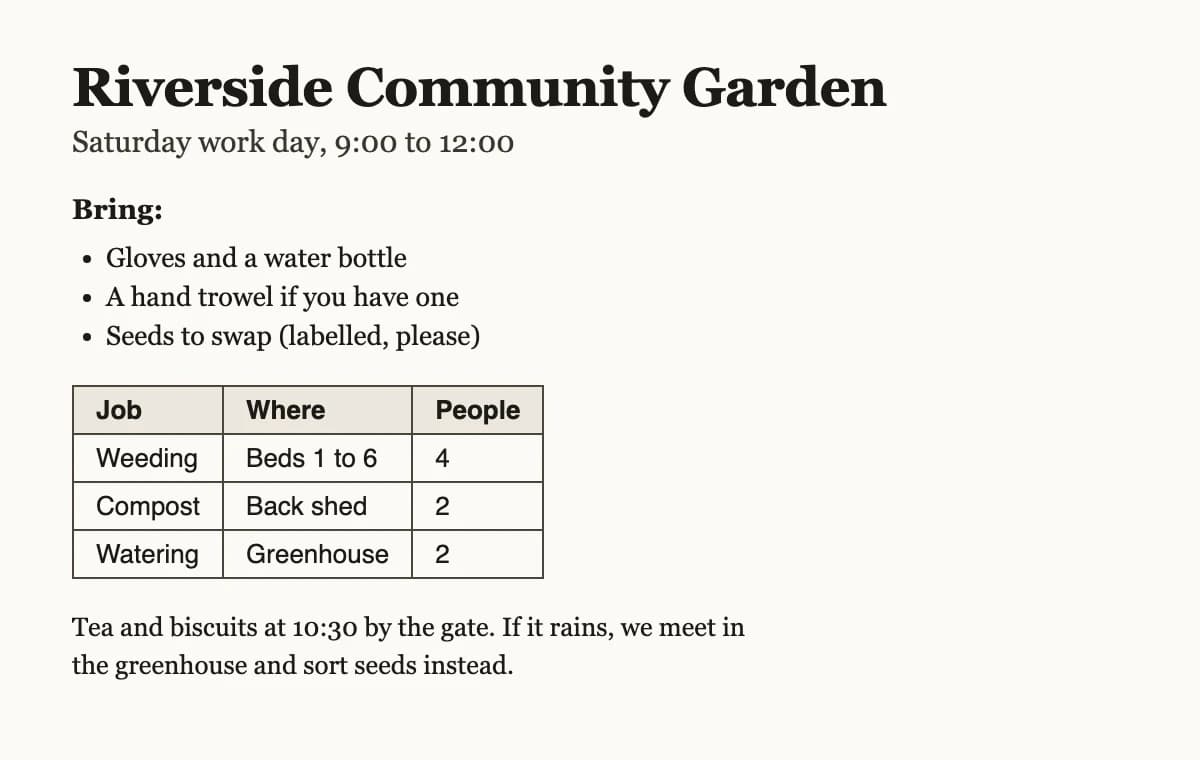
A sample notice made for this page, read in each output format. The Markdown keeps the heading, the list and the table; Keep line breaks matches the lines in the image.
 Before
# Riverside Community Garden
Saturday work day, 9:00 to 12:00
**Bring:**
- Gloves and a water bottle
- A hand trowel if you have one
- Seeds to swap (labelled, please)
| Job | Where | People |
| --- | --- | --- |
| Weeding | Beds 1 to 6 | 4 |
| Compost | Back shed | 2 |
| Watering | Greenhouse | 2 |
Tea and biscuits at 10:30 by the gate. If it rains, we meet in the greenhouse and sort seeds instead.
Riverside Community Garden
Saturday work day, 9:00 to 12:00
Bring:
- Gloves and a water bottle
- A hand trowel if you have one
- Seeds to swap (labelled, please)
Job Where People
Weeding Beds 1 to 6 4
Compost Back shed 2
Watering Greenhouse 2
Tea and biscuits at 10:30 by the gate. If it rains, we meet in
the greenhouse and sort seeds instead.
Riverside Community Garden
Saturday work day, 9:00 to 12:00
Bring:
- Gloves and a water bottle
- A hand trowel if you have one
- Seeds to swap (labelled, please)
Job Where People
Weeding Beds 1 to 6 4
Compost Back shed 2
Watering Greenhouse 2
Tea and biscuits at 10:30 by the gate. If it rains, we meet in the greenhouse and sort seeds instead.
Pick the output that fits where the text goes
The words are the same in every format. What changes is how lines, lists and tables are written.
- Plain text
- Text in reading order with no markup. Lines that only wrap inside a sentence are joined, list items stay on their own lines and table cells are split by tabs, so a table pastes straight into a spreadsheet.
- Keep line breaks
- Every line breaks where it breaks in the image, with blank lines between blocks and table columns lined up with spaces. Best for poems, addresses, code in a screenshot and anything where the line breaks matter.
- Markdown
- Headings become # and ##, lists become - items and tables become Markdown tables with a header row. Paste it into Notion, Obsidian, GitHub, Google Docs or a chat with an AI assistant and the structure survives.
How to turn an image into text
Three steps from a picture to text you can edit.
- 11. Add an imageDrop it in, paste a screenshot from your clipboard, or choose a file. On a phone you can pick a photo of a page or a sign.
- 22. Pick the output and languagePlain text, Keep line breaks or Markdown. Leave the language on Auto-detect, or name it when the writing is small, faint or handwritten.
- 33. Copy or downloadThe text streams in as it is read. Copy it, or download it as a .txt file (or .md for Markdown).
Frequently asked questions
What people ask before they upload.
1What does Image to Text do?
It reads the words in a picture and gives them back as text you can edit. A vision model copies the text exactly as written, in reading order, without summarising, correcting or translating it. You choose whether the result is plain text, keeps every line break, or comes back as Markdown with headings, lists and tables.
2Is it free?
Yes. You get 10 free runs a day on each device without an account, and 20 a day with a free account. Image to Text shares that allowance with the other prompt tools, and paid plans remove the daily limit.
3Do you keep my images or the text?
No. Before anything is uploaded, your browser shrinks the image to at most 1,536 pixels on its longest side and saves it as a new JPEG, which drops the location and camera details stored in the file. The server sends it once to a safety check and to the AI model that reads it, then lets it go: the image is not written to disk or storage, and the text that comes back is not saved on our side. The text stays in your browser tab until you copy, download or close it.
4What kinds of images work?
Screenshots, photos of printed pages, receipts, menus, posters, signs, slides and whiteboards all work well. Clear handwriting usually works too. Small, blurry, tilted or low-contrast text is harder: crop to the part you need and take the photo straight on in good light.
5What does [unclear] mean in the result?
The model writes [unclear] where it cannot read a word or passage with confidence, instead of guessing. The count under the result shows how many there are, so you know where to check the original. If the image has no readable text at all, you get [no text found].
6Which languages can it read?
Most written languages, including English, Hindi, Indonesian, Spanish, Portuguese, French, German, Italian, Russian, Arabic, Japanese, Korean and Chinese, and images that mix more than one. Auto-detect is the default. Naming the language helps when letters are hard to make out; the text is always kept in its original language and never translated.
7Can it read PDFs or several pages at once?
Not yet. It takes one JPG, PNG or WebP image at a time. For a PDF, take a screenshot of the page or export it as an image, then add it here. Very long pages read best one section at a time, because the image is scaled down before it is read.
Copy the text out of any image
Free, 10 a day, no sign-up. Add a screenshot or photo, pick the output, then copy or download.
Add an image