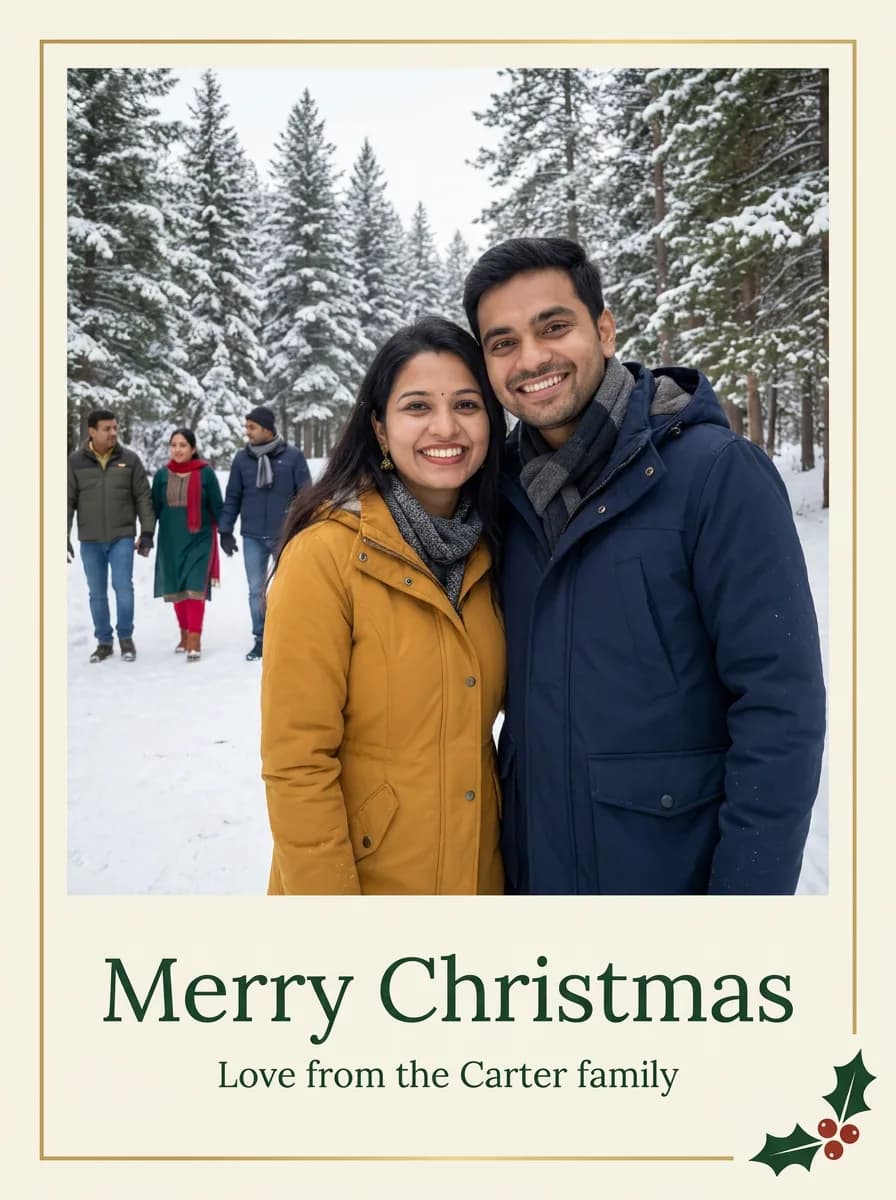

What each part of the prompt does
- Card as the subject
- "Turn my uploaded family photo into a printed Christmas card" tells the model to design a card around the photo, not to paint text over it.
- Fixed layout
- Top two-thirds for the photo and the text below gives the model a clear layout, so the greeting never lands across a face.
- Your family name
- [FAMILY NAME] sits inside a quoted line, so it is printed as written. Check the spelling in the result before you print.
- Print-ready finish
- A cream card, a thin gold border and one small holly sprig keep the design restrained, which prints well and suits any family.
Variations to try
Same idea, one thing changed. These have no example image yet.
By the fireplace Turn my uploaded family photo into a printed Christmas card, keeping every face exactly the same and the same number of people. The photo fills the top two-thirds of a cream card: the family sitting close together by a lit fireplace with stockings on the mantel, everyone in cosy knitwear. Below the photo, in elegant dark green serif lettering, "Merry Christmas", and underneath in smaller letters "Love from the [FAMILY NAME] family". A thin gold border around the card and a small sprig of holly in one corner. Clean print design, 2:3 portrait card.
Season's greetings Turn my uploaded family photo into a printed Christmas card, keeping every face exactly the same and the same number of people. The photo fills the top two-thirds of a cream card: the family standing close together outdoors among snowy pine trees, everyone in winter coats and scarves. Below the photo, in elegant dark green serif lettering, "Season's Greetings", and underneath in smaller letters "Love from the [FAMILY NAME] family". A thin gold border around the card and a small sprig of holly in one corner. Clean print design, 2:3 portrait card.
Red card with white text Turn my uploaded family photo into a printed Christmas card, keeping every face exactly the same and the same number of people. The photo fills the top two-thirds of a deep red card: the family standing close together outdoors among snowy pine trees, everyone in winter coats and scarves. Below the photo, in elegant white serif lettering, "Merry Christmas", and underneath in smaller letters "Love from the [FAMILY NAME] family". A thin gold border around the card and a small sprig of holly in one corner. Clean print design, 2:3 portrait card.
If the result isn't right
- If letters come out wrong, keep the greeting short and ask for "only the two lines of text, nothing else".
- When faces shrink too much, ask for "the photo fills the top three-quarters".
- If extra people appear, reply with the exact number of people in your photo.
- For a landscape card, change the last line to "3:2 landscape card, photo on the left, text on the right".