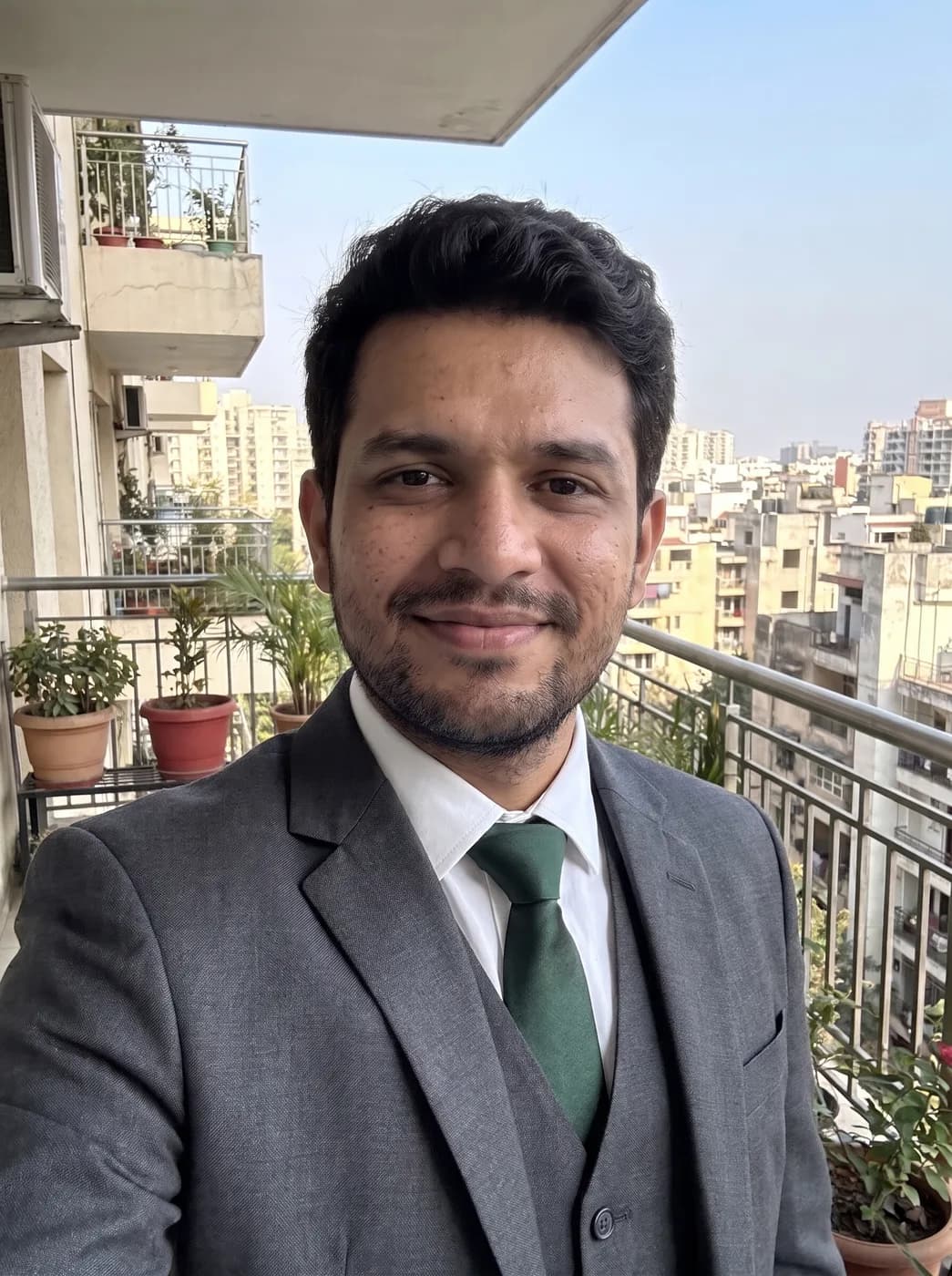
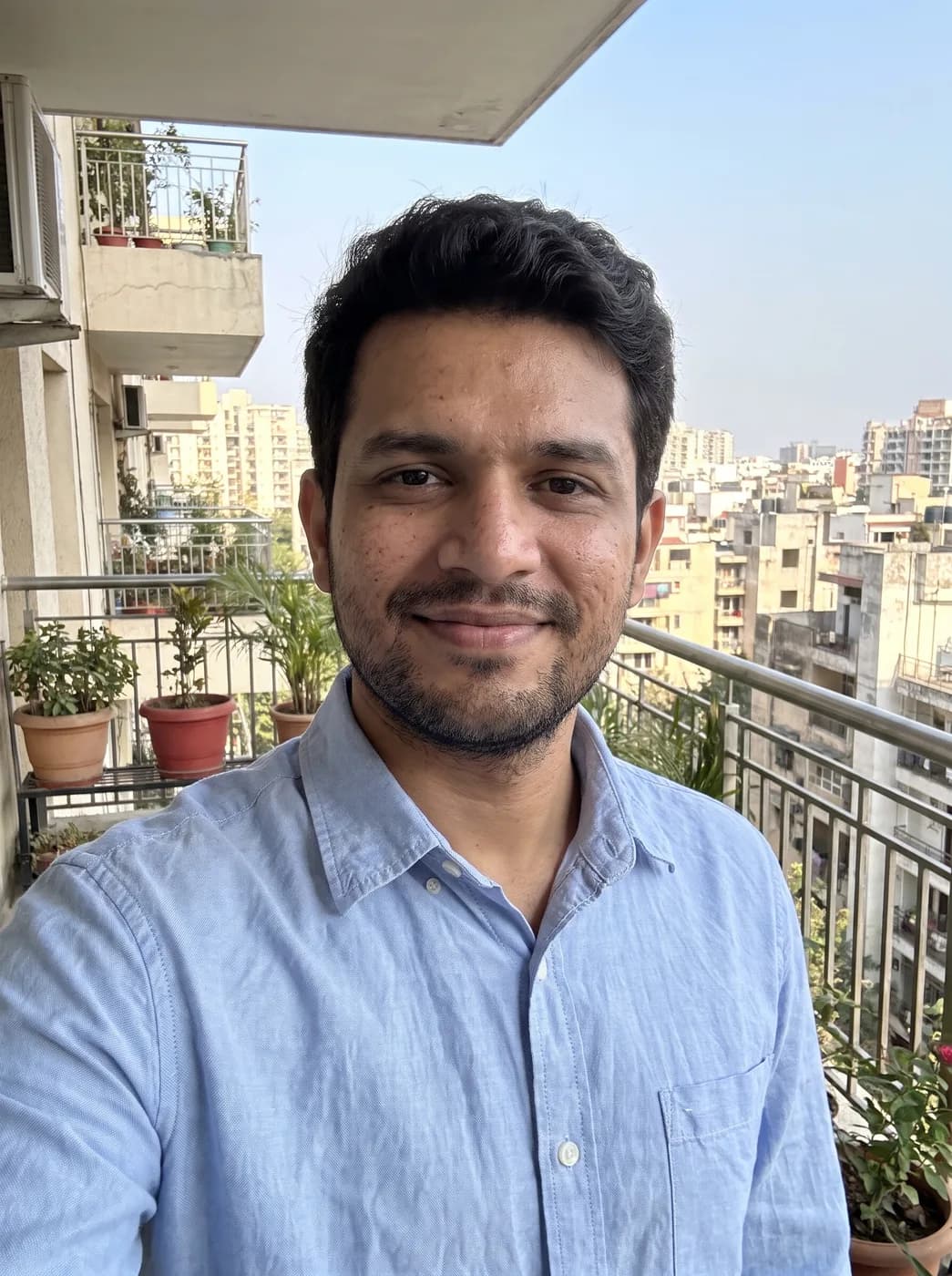
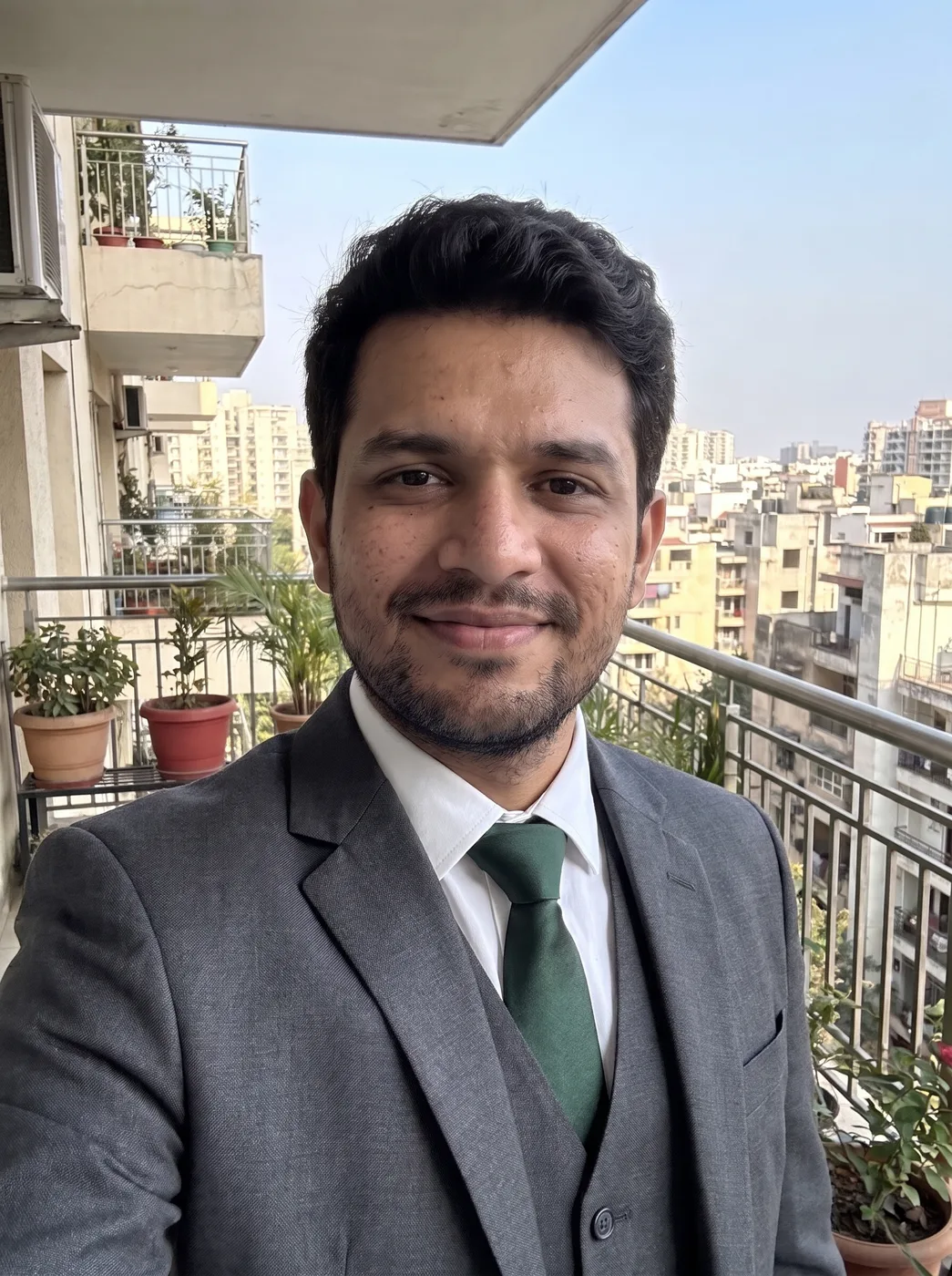
What each part of the prompt does
- Only the outfit
- Opening with "Change only the outfit" frames the task as a targeted edit, and Nano Banana handles local edits well when it is told what not to touch.
- Exact garment
- "Well-fitted charcoal grey three-piece suit with a white shirt and a dark green tie" names the cut, the colour and each layer, so you get a waistcoat and the right tie instead of any suit the model imagines.
- Long keep list
- Face, hair, expression, pose, background and lighting are all named, because each is something a clothing edit can quietly change.
- Fabric follows light
- "Make the fabric folds and shadows follow the original light" is what stops the suit looking pasted on. If the light in your photo comes from the right, the suit's shadows should too.
Variations to try
Same idea, one thing changed. These have no example image yet.
Navy suit, no tie Change only the outfit in my uploaded photo: dress the person in a well-fitted navy two-piece suit with a light blue open-collar shirt and no tie. Keep the face, hair, expression, pose, background and lighting exactly the same, and make the fabric folds and shadows follow the original light. Same framing and aspect ratio.
Ivory sherwani Change only the outfit in my uploaded photo: dress the person in a well-fitted ivory silk sherwani with small gold buttons and a matching stole over one shoulder. Keep the face, hair, expression, pose, background and lighting exactly the same, and make the fabric folds and shadows follow the original light. Same framing and aspect ratio.
Batik shirt Change only the outfit in my uploaded photo: dress the person in a well-fitted long-sleeved batik shirt in brown and indigo with dark tailored trousers. Keep the face, hair, expression, pose, background and lighting exactly the same, and make the fabric folds and shadows follow the original light. Same framing and aspect ratio.
If the result isn't right
- If the suit looks too big or boxy, add "slim fit, sleeves ending at the wrist, jacket buttoned".
- When the edit starts changing your face, upload the original again in a new chat rather than editing the edited image, since each round drifts further from you.
- A tie sometimes melts into the shirt; ask for "a clearly defined dark green tie with a neat knot".
- If the background shifts or gets blurred, type "background unchanged, edit the clothing area only".