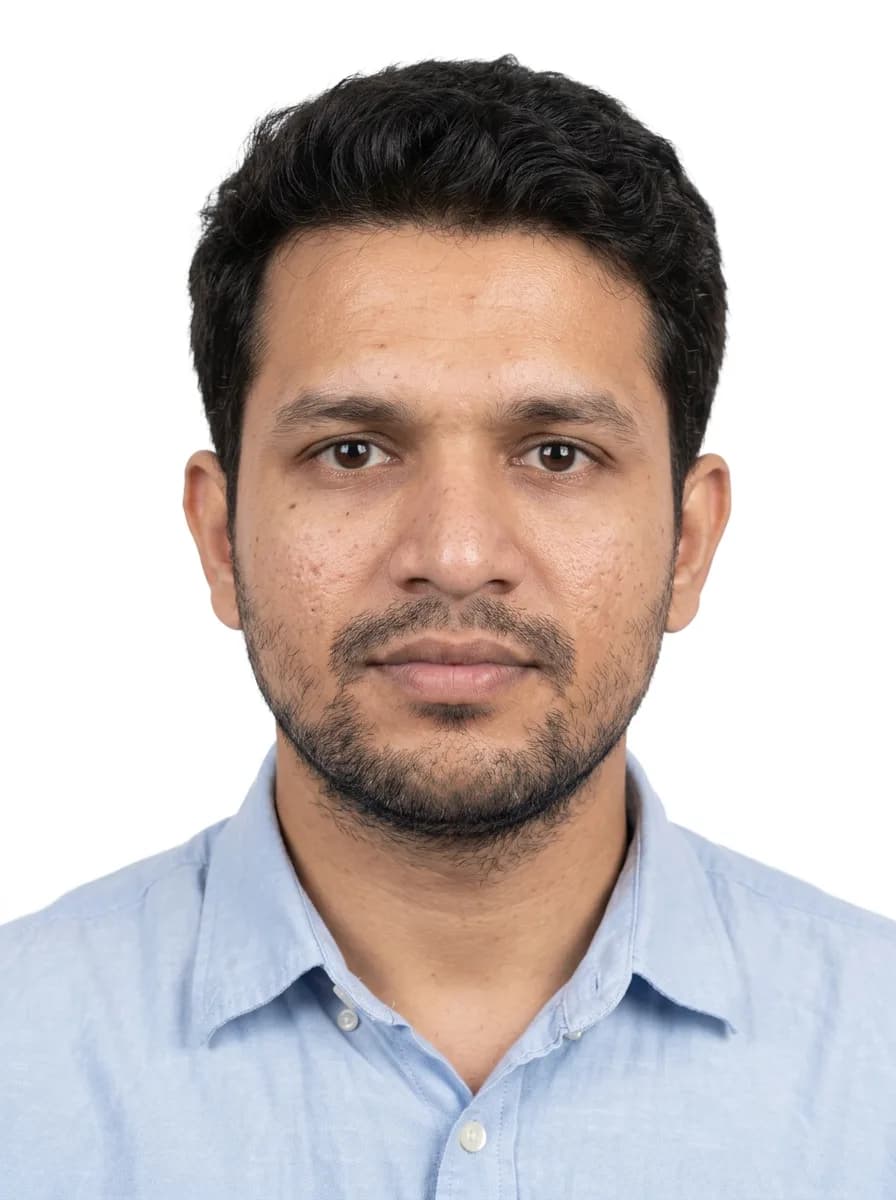
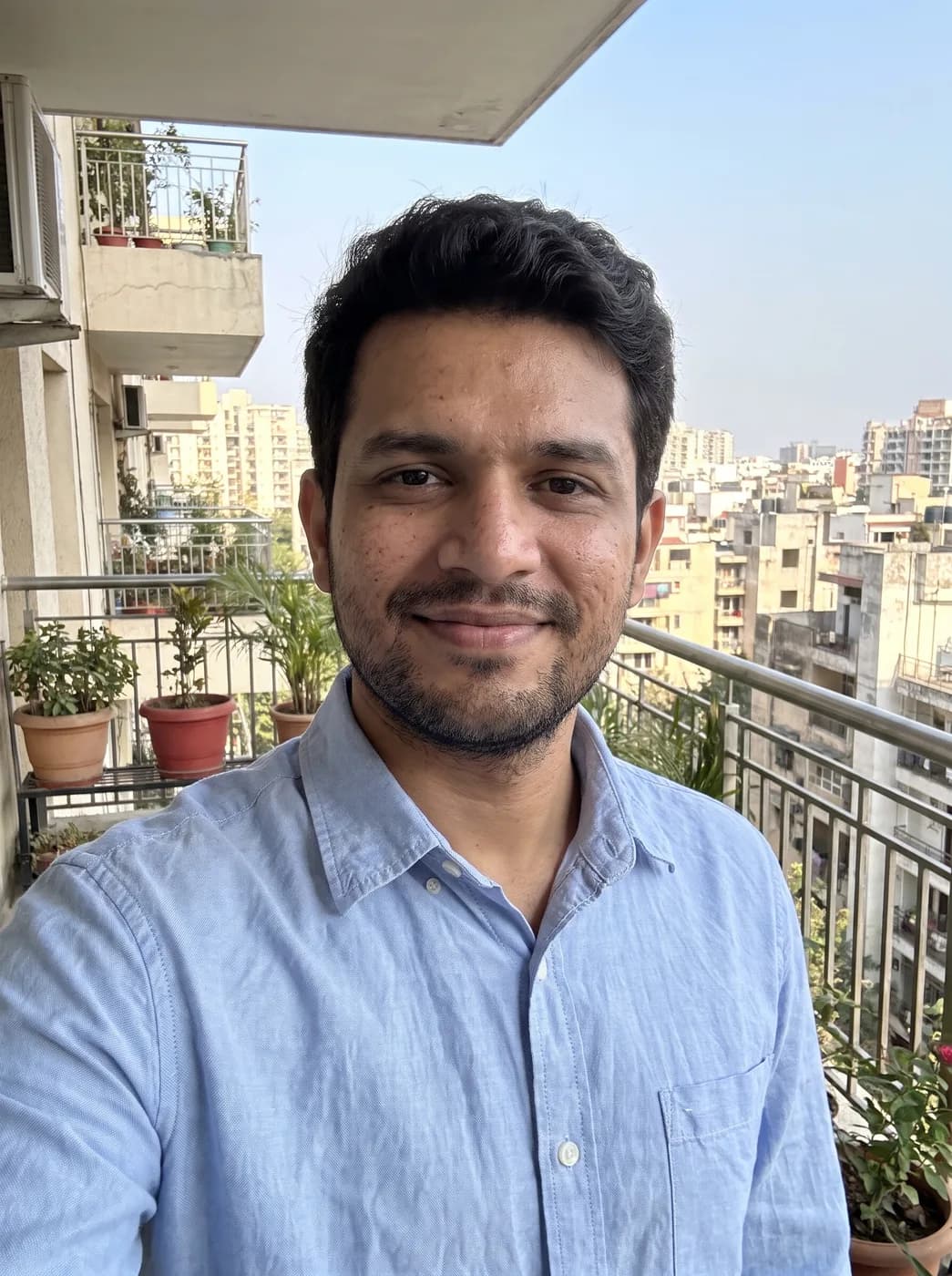

What each part of the prompt does
- Crop to the format
- Head and top of shoulders with the head at about 70 percent of the frame matches the proportions many ID formats use. The final exact size is done afterwards by cropping.
- Plain background
- White with no texture or shadow is the safest default. Some forms ask for light grey or blue instead; change only that sentence.
- Rules for the face
- Neutral expression, mouth closed, both eyes visible and hair off the eyes are the points ID checks look at most. Writing them out avoids a friendly smile that a strict form would refuse.
- No beautifying
- An ID photo has to look like you on the day. Keeping skin texture and features exact matters more here than on any other prompt in this library.
Variations to try
Same idea, one thing changed. These have no example image yet.
Light blue background Turn my uploaded photo into a passport-style ID photo. Crop to head and top of shoulders, face centred and looking straight at the camera, with the head taking up about 70 percent of the frame height. Plain light blue background with no texture or shadow. Even, shadow-free front light on the face and background, neutral expression with the mouth closed, both eyes open and clearly visible, no hair over the eyes. Keep the clothes from the photo. Keep the face, features, skin tone and hair exactly as in the photo, true skin texture, no beautifying. Portrait 3:4 frame.
Formal shirt and jacket Turn my uploaded photo into a passport-style ID photo. Crop to head and top of shoulders, face centred and looking straight at the camera, with the head taking up about 70 percent of the frame height. Plain white background with no texture or shadow. Even, shadow-free front light on the face and background, neutral expression with the mouth closed, both eyes open and clearly visible, no hair over the eyes. Dress the person in a plain dark jacket over a white collared shirt. Keep the face, features, skin tone and hair exactly as in the photo, true skin texture, no beautifying. Portrait 3:4 frame.
Light grey background Turn my uploaded photo into a passport-style ID photo. Crop to head and top of shoulders, face centred and looking straight at the camera, with the head taking up about 70 percent of the frame height. Plain light grey background with no texture or shadow. Even, shadow-free front light on the face and background, neutral expression with the mouth closed, both eyes open and clearly visible, no hair over the eyes. Keep the clothes from the photo. Keep the face, features, skin tone and hair exactly as in the photo, true skin texture, no beautifying. Portrait 3:4 frame.
If the result isn't right
- Crop the result to the exact size your form asks for (for example 35 x 45 mm or 2 x 2 inches) in any photo editor; image models do not print to measured sizes.
- If shadows appear behind the head, add "no shadow on the background at all".
- When glasses reflect light, many forms ask you to remove them; use a photo without glasses rather than asking the model to erase them.
- If your face looks smoother or younger, reply "keep every mark, line and blemish exactly as in my photo".