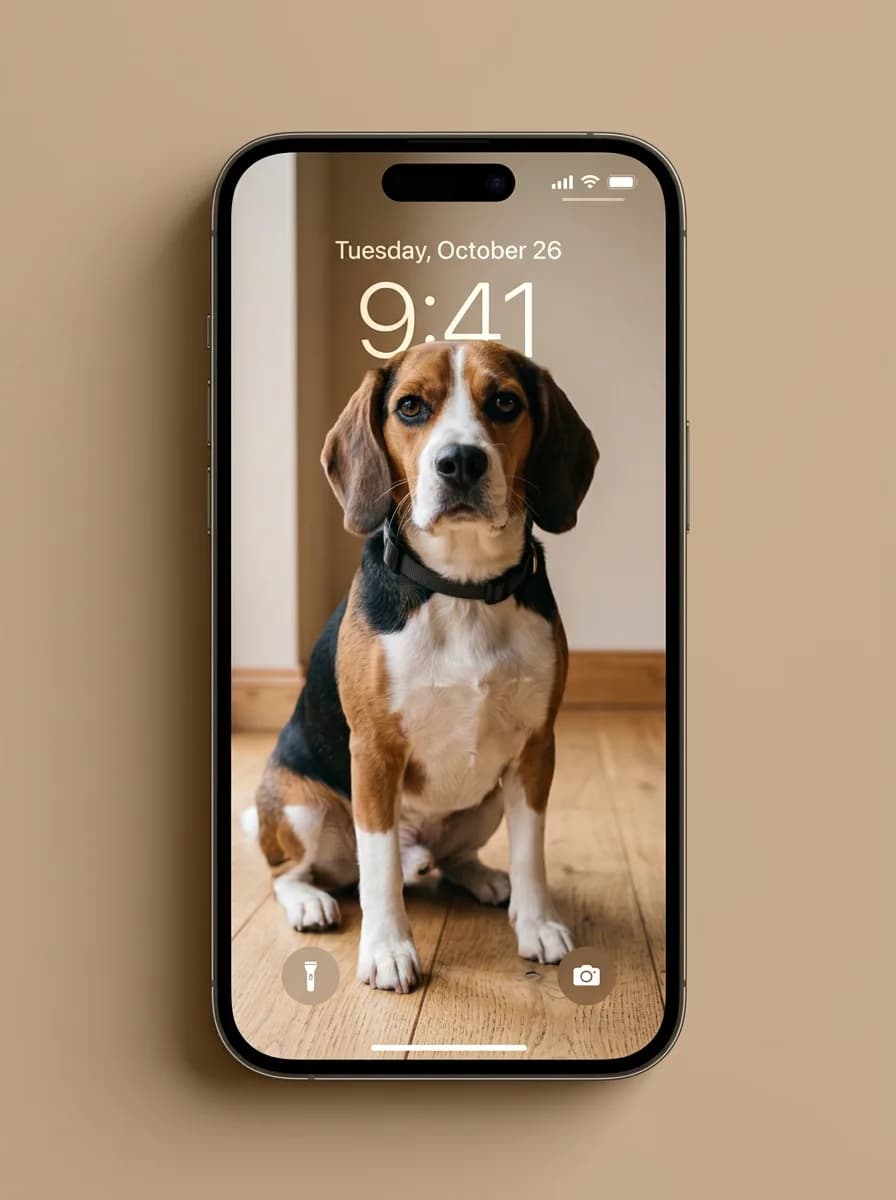


What each part of the prompt does
- Refit, do not stretch
- A landscape photo has to become a tall one. "Without stretching" and "keeping the main subject whole" make the model extend or reframe instead of squashing the image.
- Subject below the clock
- Placing the subject in the lower two thirds leaves the top free for the time and date, the same thing you would do when cropping a wallpaper by hand.
- Lock screen details
- Time, date, status bar and the two corner buttons are what make the screen read as a phone. A fixed time like 9:41 gives the model a clear, short string to draw.
- Matching backdrop
- A background colour picked from the photo ties the phone and the wallpaper together, so the mock-up looks designed rather than pasted on white.
Variations to try
Same idea, one thing changed. These have no example image yet.
In a hand Show my uploaded photo as a phone lock screen wallpaper. Recompose the photo to fit a tall phone screen without stretching it, keeping the main subject whole and placed in the lower two thirds. Overlay a clean lock screen on top: the time 7:30 in large thin white numerals near the top, the date in smaller text above it, a status bar with signal, wifi and battery icons, and round flashlight and camera buttons at the bottom corners. Show the phone at a slight angle held in one hand, with a background colour picked from the photo. Product shot, soft light, portrait 4:5 frame.
On a desk with coffee Show my uploaded photo as a phone lock screen wallpaper. Recompose the photo to fit a tall phone screen without stretching it, keeping the main subject whole and placed in the lower two thirds. Overlay a clean lock screen on top: the time 8:15 in large thin white numerals near the top, the date in smaller text above it, a status bar with signal, wifi and battery icons, and round flashlight and camera buttons at the bottom corners. Show the phone at a slight angle lying on a wooden desk next to a cup of coffee, with a background colour picked from the photo. Product shot, soft light, portrait 4:5 frame.
Leaning on a stand Show my uploaded photo as a phone lock screen wallpaper. Recompose the photo to fit a tall phone screen without stretching it, keeping the main subject whole and placed in the lower two thirds. Overlay a clean lock screen on top: the time 10:00 in large thin white numerals near the top, the date in smaller text above it, a status bar with signal, wifi and battery icons, and round flashlight and camera buttons at the bottom corners. Show the phone at a slight angle leaning on a small phone stand, with a background colour picked from the photo. Product shot, soft light, portrait 4:5 frame.
If the result isn't right
- If the numerals come out garbled, keep the time short and ask for "simple clean digits, nothing else written".
- When the phone looks like a specific brand you do not want, add "generic modern phone with thin bezels, no logo".
- If the subject gets cut in half, say "the whole subject is visible on the screen".
- To get just the wallpaper without the phone, ask for "the wallpaper alone as a 9:16 image, no phone and no overlay".