AI Product Photo Generator
Put your product on a kitchen counter, a studio backdrop or a holiday table from one simple snapshot. The prompt keeps its shape, colors and label as they are.
Commercial product photograph of the product shown in the reference images, placed .
Between one and four pictures of the same item, ideally from different angles. PNG, JPEG or WebP up to 12 MB each.
- Model
- Seedream 4.5 · ByteDance
- Cost
- 65 credits
Prompt sent to the model
A sample this tool made. Your results appear here when you press Generate.
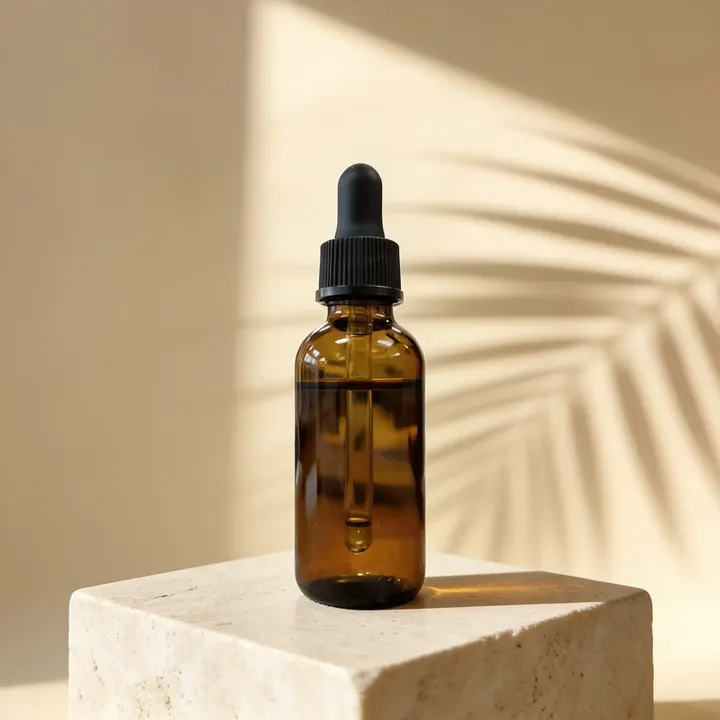
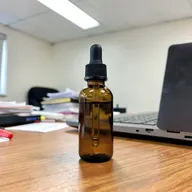 Sample start photo
More AI tools
Prompt library
Prompts with the image each one made, ready to copy.
 Nano Banana ProCut a product out onto a clean white background
 nano-banana-2Extend a photo beyond its edges
 nano-banana-2Passport-style ID photo from a selfie
 nano-banana-2Preview a photo as your phone lock screen
 nano-banana-2Relight a portrait with a classic studio lighting setup
 nano-banana-2Reshoot a phone photo with real camera settings
 Nano Banana ProSharpen a blurry or low-resolution photo
 nano-banana-2Try a makeup look on your own photo
 nano-banana-2Try nine hairstyles on your own face
 nano-banana-2Turn your pet into a plush toy
What is AI Product Photo Generator?
Shooting every product in several settings takes a studio, props and a full day. Here one clean photo is enough: upload it, pick a scene, and the model builds the set around your product with light and shadows to match. The prompt asks it to copy the shape, colors and label from your photo, so the item in the scene is yours, not a lookalike.Seedream 4.5 is the default because it keeps products consistent across a set, and it can return four images in one run. To keep a photo you already like and change only what is behind the product, use the AI background changer.
What people make with it
- Listing images for your online shop
- Launch posts and paid social creatives
- Holiday and sale banners
- Catalog images while a real shoot is planned
Why use AI Product Photos?
- 7 models to choose from
- Starts on Seedream 4.5 by ByteDance. Also works with Seedream 5.0 Lite, Riverflow 2.5 Pro, Nano Banana, Nano Banana Pro, GPT Image 2, FLUX.2 [pro].
- The cost is shown before you run it
- 65 credits per image on Seedream 4.5. The Generate button shows the exact credits first, so nothing is spent by surprise.
- Failed generations are refunded
- When a generation fails, its credits go back to your balance automatically.
- One credit pool for every tool
- The same credits work across every studio tool and model, and the prompt tools include free prompts every day.
How to use AI Product Photos
Three steps from an idea to a finished result.
- 11. Add up to four pictures of the item
- 22. Choose where it should stand
- 33. Generate, check the label up close, and download
Tips for better results
- Shoot the reference from the front, by a window, with a bare wall behind it. Clutter in the reference can end up in the scene.
- Take off price stickers and wipe away smudges before you shoot. The model copies what it sees.
- Shoot a whole collection in one scene so your store grid looks consistent.
- Zoom in on text and logos before you publish. If something drifts, run it again or switch to Riverflow 2.5 Pro, which is built for packaging.
- Want the product to move? Animate the finished shot with image to video.
Frequently asked questions
What people ask before they use AI Product Photos.
1Will the packaging text come out right?
2Which model should I use?
3How many photos should I upload?
4Can the background be transparent?
5Can I use the photos in my store and ads?
6How much does it cost?
Try AI Product Photos now
65 credits per image on Seedream 4.5. You see the exact credits before you generate.
Open AI Product Photos