AI YouTube Thumbnail Generator
Write the video title, a short line of text and the expression, add your photo if you want to be in it, and get a 16:9 thumbnail with lettering big enough to read on a phone.
A 16:9 YouTube thumbnail for a video called "". Large, bold, easy-to-read text that says "". The person looks .
Up to three photos of you or the item to feature. PNG, JPEG or WebP up to 12 MB.
- Model
- Nano Banana Pro · Google
- Cost
- 205 credits
Prompt sent to the model
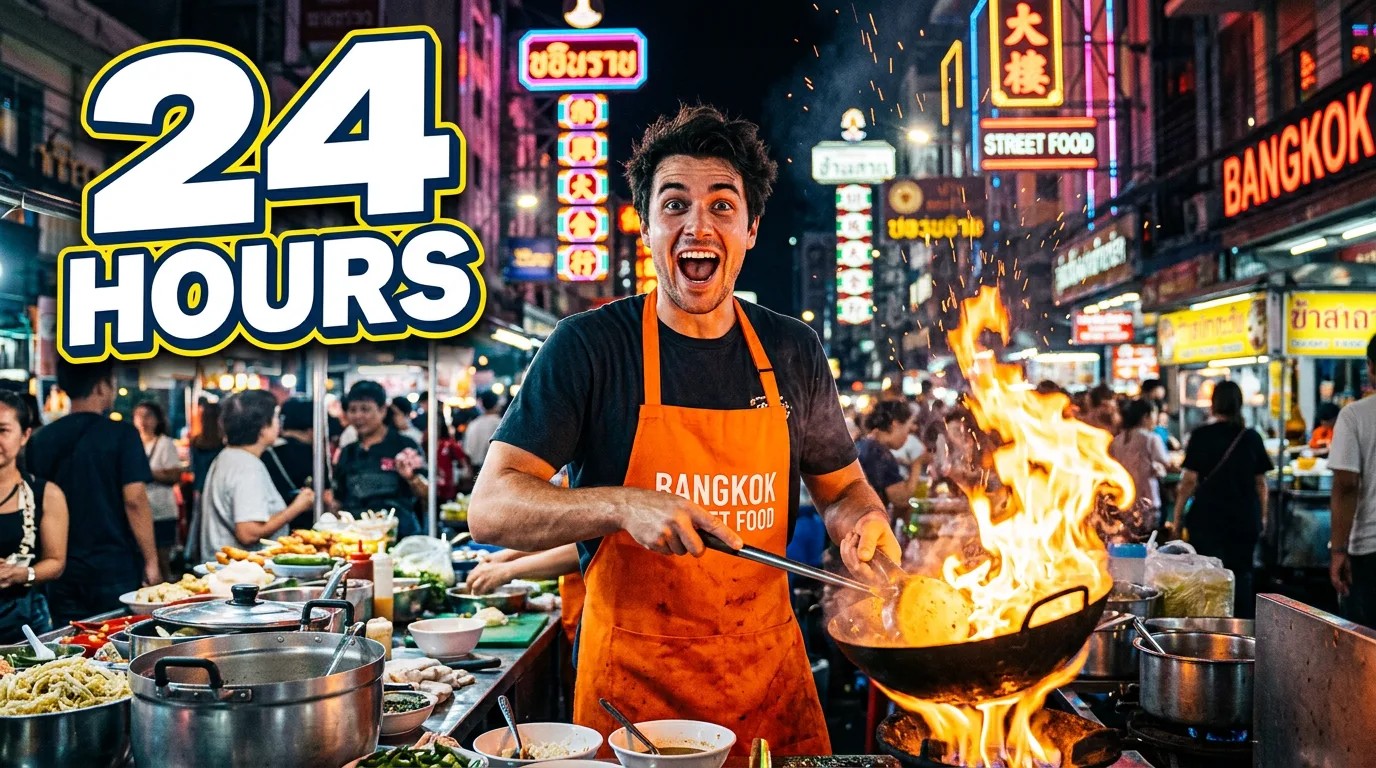
A sample this tool made. Your results appear here when you press Generate.
More AI tools
Prompt library
Prompts with the image each one made, ready to copy.
 Nano Banana ProCut a product out onto a clean white background
 nano-banana-2Extend a photo beyond its edges
 nano-banana-2Passport-style ID photo from a selfie
 nano-banana-2Preview a photo as your phone lock screen
 nano-banana-2Relight a portrait with a classic studio lighting setup
 nano-banana-2Reshoot a phone photo with real camera settings
 Nano Banana ProSharpen a blurry or low-resolution photo
 nano-banana-2Try a makeup look on your own photo
 nano-banana-2Try nine hairstyles on your own face
 nano-banana-2Turn your pet into a plush toy
What is AI YouTube Thumbnail Generator?
Thumbnails are judged at the size of a stamp, in a feed full of others. What works there is a single subject, a clear emotion and a short line of big text. Fill in the title, the words, the scene and the expression, and the model lays them out in 16:9. Add a photo of yourself or of a product and the model builds the thumbnail around it.It runs on Nano Banana Pro by default, Google's Gemini 3 Pro Image, whose strength is text inside pictures. Need help with the wording of a scene? The image prompt generator writes image prompts for free.
What people make with it
- Thumbnails for YouTube videos
- Covers for video podcasts
- Title cards for online classes and webinar replays
- Preview images for video posts on other sites
Why use YouTube Thumbnail Generator?
- 6 models to choose from
- Starts on Nano Banana Pro by Google. Also works with GPT Image 2, Nano Banana 2, Nano Banana, FLUX.2 [flex], Seedream 4.5.
- The cost is shown before you run it
- 205 credits per image on Nano Banana Pro. The Generate button shows the exact credits first, so nothing is spent by surprise.
- Failed generations are refunded
- When a generation fails, its credits go back to your balance automatically.
- One credit pool for every tool
- The same credits work across every studio tool and model, and the prompt tools include free prompts every day.
How to use YouTube Thumbnail Generator
Three steps from an idea to a finished result.
- 11. Enter the video title, plus the short phrase to show
- 22. Set the scene, choose an expression, and add your photo if you want to appear in it
- 33. Generate several and keep the one that still reads when you shrink it down
Tips for better results
- Fewer words read better. If the text wraps onto a second line, cut a word.
- Type the words exactly as they should appear, capitals included.
- Let the face fill a third of the frame or more. Small details vanish at feed size.
- Keep important text out of the bottom-right corner, where YouTube shows the video length.
- Reuse the same layout across a series so viewers recognize your videos.
Frequently asked questions
What people ask before they use YouTube Thumbnail Generator.
1Can I be in the thumbnail?
2Will the text be spelled right?
3What shape is the thumbnail?
4How much does it cost?
5Can I use it on a monetized channel?
Try YouTube Thumbnail Generator now
205 credits per image on Nano Banana Pro. You see the exact credits before you generate.
Open YouTube Thumbnail Generator