AI Poster Generator
Type the headline, the details line and the picture you want, choose a style, and get a portrait poster or flyer with the words spelled as you wrote them. GPT Image 2 by default.
A poster. The main headline reads "". A smaller line reads "".
- Model
- GPT Image 2 · OpenAI
- Cost
- 75 credits
Prompt sent to the model
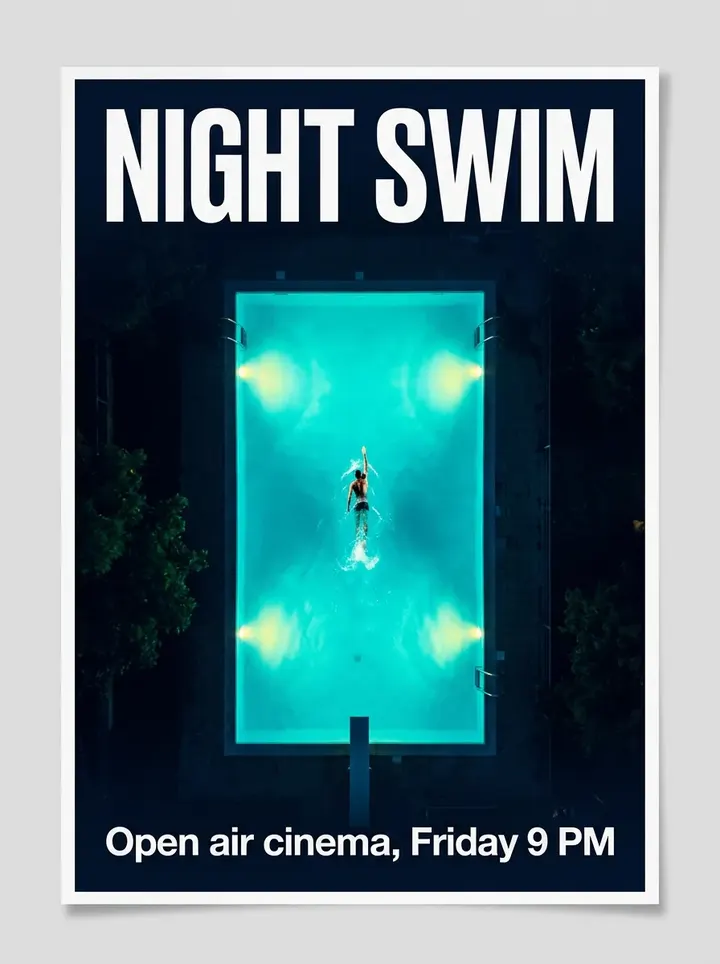
A sample this tool made. Your results appear here when you press Generate.
More AI tools
Prompt library
Prompts with the image each one made, ready to copy.
 Nano Banana ProCut a product out onto a clean white background
 nano-banana-2Extend a photo beyond its edges
 nano-banana-2Passport-style ID photo from a selfie
 nano-banana-2Preview a photo as your phone lock screen
 nano-banana-2Relight a portrait with a classic studio lighting setup
 nano-banana-2Reshoot a phone photo with real camera settings
 Nano Banana ProSharpen a blurry or low-resolution photo
 nano-banana-2Try a makeup look on your own photo
 nano-banana-2Try nine hairstyles on your own face
 nano-banana-2Turn your pet into a plush toy
What is AI Poster Generator?
A poster has two jobs: say one thing loudly and the details quietly. You type both lines word for word, describe the picture, and pick a style, from clean minimal and Swiss grid to retro, letterpress and festival. The model lays it out with a clear gap in size between the headline and the details.The default is GPT Image 2 by OpenAI, chosen for precise instruction following and clean text inside images. It can return up to four versions in one run, so you can pick the layout that works before you proof the wording.
What people make with it
- Gig, club night and open-day posters
- Flyers for sales, menus and announcements
- Film-style posters for school and fan projects
- Print-ready notices for shop windows and notice boards
Why use AI Poster Generator?
- 6 models to choose from
- Starts on GPT Image 2 by OpenAI. Also works with Nano Banana Pro, FLUX.2 [flex], Recraft V4.1, Qwen Image 3, Seedream 4.5.
- The cost is shown before you run it
- 75 credits per image on GPT Image 2. The Generate button shows the exact credits first, so nothing is spent by surprise.
- Failed generations are refunded
- When a generation fails, its credits go back to your balance automatically.
- One credit pool for every tool
- The same credits work across every studio tool and model, and the prompt tools include free prompts every day.
How to use AI Poster Generator
Three steps from an idea to a finished result.
- 11. Type the headline and one line of details exactly as they should read
- 22. Describe the picture and choose a style
- 33. Generate, proofread every word, and download the version you like
Tips for better results
- A headline of a few words prints big. Long headlines get small, and small text is where errors creep in.
- Write dates and times the way you want them printed, including capitals and punctuation.
- Describe one strong image, not a collage: "a single red bicycle against a blue wall".
- Generate the poster without a logo, then place your real logo on it in your own design tool.
- For a matching social post, run the same text and style at 1:1 or 9:16.
Frequently asked questions
What people ask before they use AI Poster Generator.
1Will the text be spelled correctly?
2How much text can a poster have?
3What size is it?
4Can I use it for my business or event?
5How much does it cost?
Try AI Poster Generator now
75 credits per image on GPT Image 2. You see the exact credits before you generate.
Open AI Poster Generator