AI Avatar Generator
Turn a photo of yourself into a square profile picture: a 3D character, pixel art, a flat illustration, a fantasy hero and more. Your face stays recognizable at small sizes.
A square profile picture of the person in the photos, drawn as . Frame the face and shoulders in the middle, on a simple background in .
One to three photos with your face clearly visible. PNG, JPEG or WebP up to 12 MB.
- Model
- Nano Banana · Google
- Cost
- 60 credits
Prompt sent to the model
A sample this tool made. Your results appear here when you press Generate.
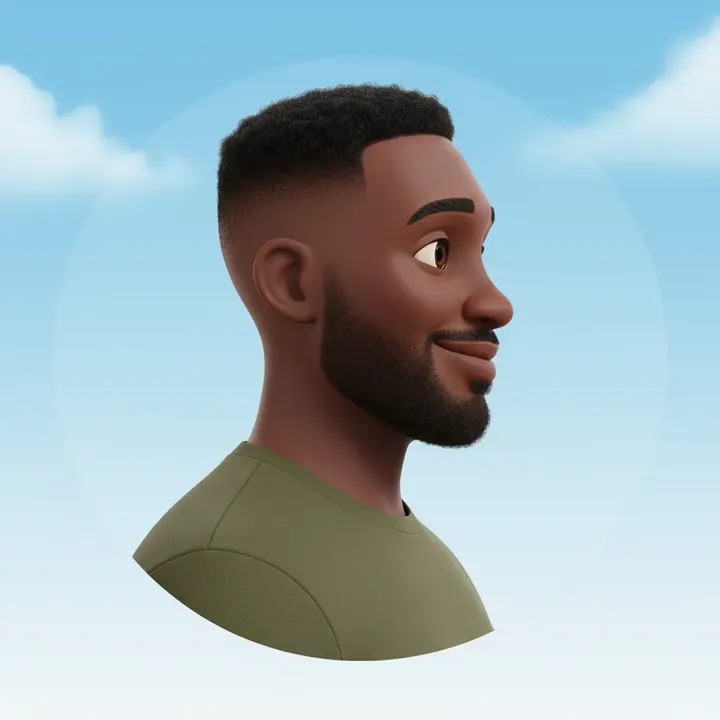
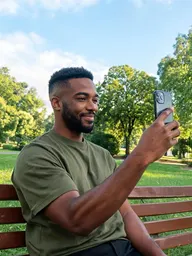 Sample start photo
More AI tools
Prompt library
Prompts with the image each one made, ready to copy.
 Nano Banana ProCut a product out onto a clean white background
 nano-banana-2Extend a photo beyond its edges
 nano-banana-2Passport-style ID photo from a selfie
 nano-banana-2Preview a photo as your phone lock screen
 nano-banana-2Relight a portrait with a classic studio lighting setup
 nano-banana-2Reshoot a phone photo with real camera settings
 Nano Banana ProSharpen a blurry or low-resolution photo
 nano-banana-2Try a makeup look on your own photo
 nano-banana-2Try nine hairstyles on your own face
 nano-banana-2Turn your pet into a plush toy
What is AI Avatar Generator?
A profile picture is seen at thumbnail size next to your name, so it has to be simple: one face, centered, on a plain color. Upload a photo or two, choose a look and a background color, and the model draws you as a 3D character, a pixel sprite, a flat illustration, a fantasy hero or another style from the list.Avatars come out square, the shape apps crop into a circle. For a realistic photo for work instead of a stylized one, use the AI headshot generator.
What people make with it
- Gaming, Discord and streaming profiles
- Pictures for Slack, Teams and other work chat
- Matching icons across your social accounts
- Author and newsletter portraits
Why use AI Avatar Generator?
- 7 models to choose from
- Starts on Nano Banana by Google. Also works with Nano Banana 2, Nano Banana Pro, Seedream 4.5, GPT Image 2, FLUX.2 [pro], Qwen Image 3.
- The cost is shown before you run it
- 60 credits per image on Nano Banana. The Generate button shows the exact credits first, so nothing is spent by surprise.
- Failed generations are refunded
- When a generation fails, its credits go back to your balance automatically.
- One credit pool for every tool
- The same credits work across every studio tool and model, and the prompt tools include free prompts every day.
How to use AI Avatar Generator
Three steps from an idea to a finished result.
- 11. Upload one to three photos of your face
- 22. Pick an avatar style and a background color
- 33. Generate, then try a second style for another platform
Tips for better results
- Use a photo where you look straight at the camera. Turned heads come out off-center.
- Plain colors read best at small sizes. Choose one that contrasts with your hair.
- Match the style to the place: pixel art for gaming profiles, a flat illustration for work chat, a storybook portrait for a newsletter.
- Keep the same style and color across a team so the avatars look like a set.
Frequently asked questions
What people ask before they use AI Avatar Generator.
1Why is the avatar square?
2Will it look like me?
3Can I make avatars for a team or a group of friends?
4Who can see my photos?
5How much does it cost?
Try AI Avatar Generator now
60 credits per image on Nano Banana. You see the exact credits before you generate.
Open AI Avatar Generator