AI Tattoo Generator
Describe the tattoo you have in mind and pick a style, from fine line and blackwork to traditional and irezumi. You get line art on white paper to show your tattoo artist.
A tattoo design of in , drawn as clean line art on plain white paper, with a balanced shape that would sit well on .
- Model
- FLUX.2 [pro] · Black Forest Labs
- Cost
- 50 credits
Prompt sent to the model
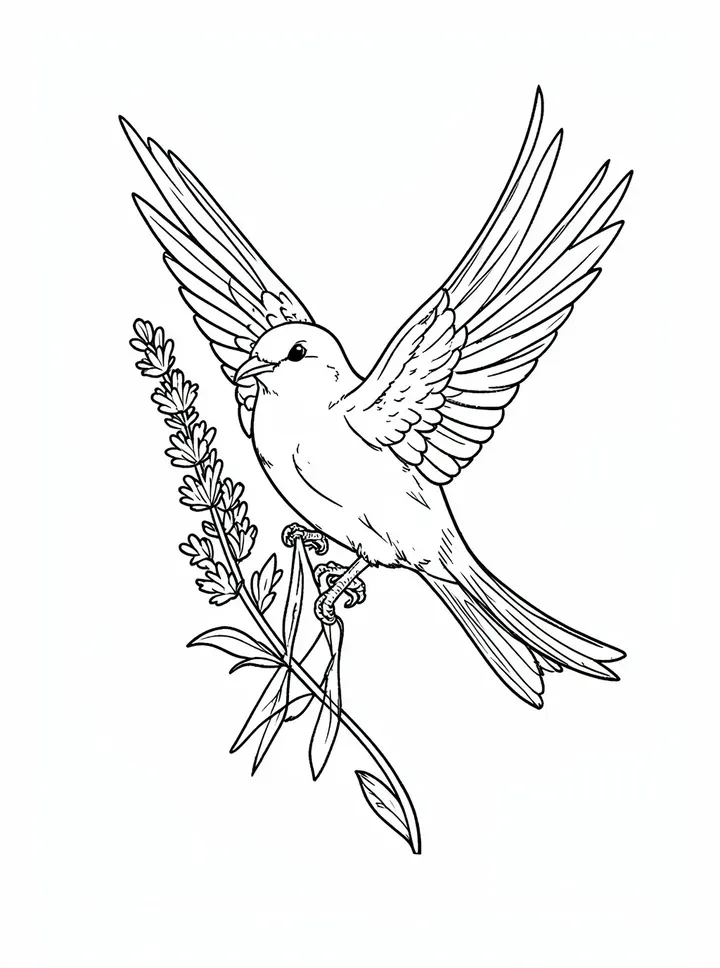
A sample this tool made. Your results appear here when you press Generate.
More AI tools
Prompt library
Prompts with the image each one made, ready to copy.
 Nano Banana ProCut a product out onto a clean white background
 nano-banana-2Extend a photo beyond its edges
 nano-banana-2Passport-style ID photo from a selfie
 nano-banana-2Preview a photo as your phone lock screen
 nano-banana-2Relight a portrait with a classic studio lighting setup
 nano-banana-2Reshoot a phone photo with real camera settings
 Nano Banana ProSharpen a blurry or low-resolution photo
 nano-banana-2Try a makeup look on your own photo
 nano-banana-2Try nine hairstyles on your own face
 nano-banana-2Turn your pet into a plush toy
What is AI Tattoo Generator?
Walking into a consultation with a picture is easier than describing an idea out loud. Write what the tattoo shows, choose a style and where it will go, and the model draws it as clean line art on white paper, shaped for that part of the body.Use the results to find a direction: compare fine line with blackwork, try a different animal or flower, and bring the two or three you like to your artist. They will adapt the design to your skin and their own hand.
What people make with it
- Ideas to bring to a first consultation
- Matching tattoos for friends and couples
- Cover-up and add-on concepts
- Flash sheet sketches for artists
Why use AI Tattoo Generator?
- 6 models to choose from
- Starts on FLUX.2 [pro] by Black Forest Labs. Also works with GPT Image 2, Recraft V4.1, Recraft V4.1 Flash, Nano Banana, Qwen Image 3.
- The cost is shown before you run it
- 50 credits per image on FLUX.2 [pro]. The Generate button shows the exact credits first, so nothing is spent by surprise.
- Failed generations are refunded
- When a generation fails, its credits go back to your balance automatically.
- One credit pool for every tool
- The same credits work across every studio tool and model, and the prompt tools include free prompts every day.
How to use AI Tattoo Generator
Three steps from an idea to a finished result.
- 11. Describe the tattoo idea in a sentence
- 22. Pick a style and the placement
- 33. Generate several options and save the ones to discuss at your consultation
Tips for better results
- Two or three elements are plenty. Small tattoos with many details blur as they age.
- Name a meaning in objects, not abstractions: "an oak leaf and an acorn" draws better than "strength and growth".
- Lettering is hard for most image models. Try GPT Image 2 for a name or a date, and check every letter.
- Draft many ideas on Recraft V4.1 Flash at 15 credits, then render your favorite on FLUX.2 [pro].
- To see it on your body, use the AI photo editor with a photo of the spot and the design as a second image.
Frequently asked questions
What people ask before they use AI Tattoo Generator.
1Can a tattoo artist use the design?
2Why does it ask for placement?
3Which model should I use?
4Can it put the tattoo on a photo of my arm?
5How much does it cost?
Try AI Tattoo Generator now
50 credits per image on FLUX.2 [pro]. You see the exact credits before you generate.
Open AI Tattoo Generator