AI Selfie Generator
Your selfie, somewhere better: a Greek rooftop, a summit, a beach or a city at night. The face, expression and phone-camera look stay; the light changes with the place.
This selfie retaken in .
Any selfie where nothing hides your face. PNG, JPEG or WebP up to 12 MB.
- Model
- Nano Banana · Google
- Cost
- 60 credits
Prompt sent to the model
A sample this tool made. Your results appear here when you press Generate.
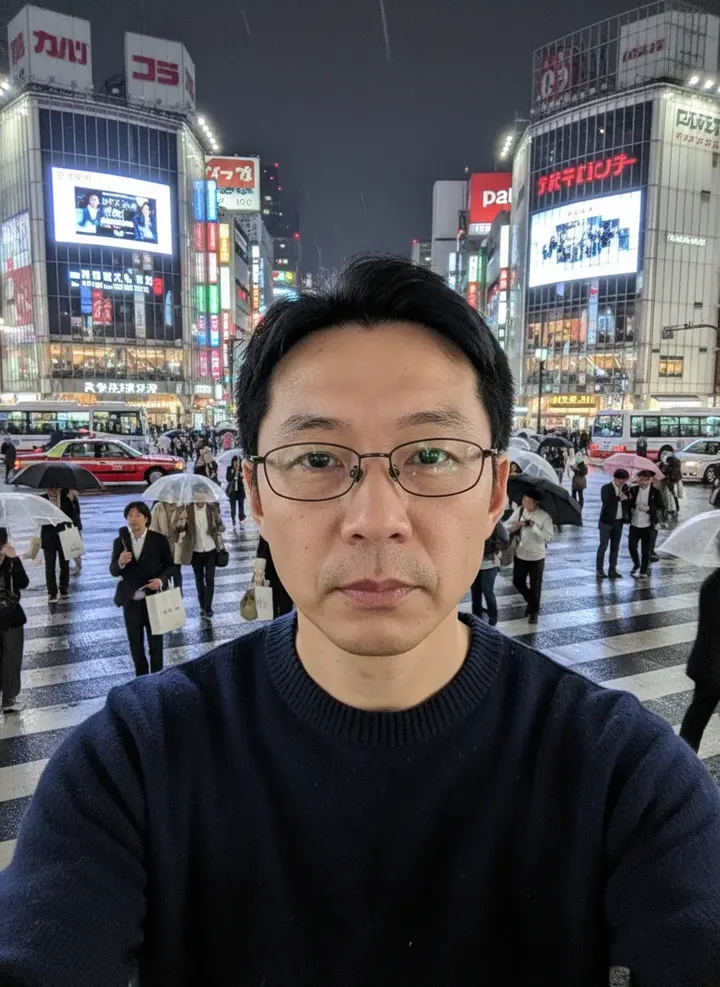
 Sample start photo
More AI tools
Prompt library
Prompts with the image each one made, ready to copy.
 Nano Banana ProCut a product out onto a clean white background
 nano-banana-2Extend a photo beyond its edges
 nano-banana-2Passport-style ID photo from a selfie
 nano-banana-2Preview a photo as your phone lock screen
 nano-banana-2Relight a portrait with a classic studio lighting setup
 nano-banana-2Reshoot a phone photo with real camera settings
 Nano Banana ProSharpen a blurry or low-resolution photo
 nano-banana-2Try a makeup look on your own photo
 nano-banana-2Try nine hairstyles on your own face
 nano-banana-2Turn your pet into a plush toy
What is AI Selfie Generator?
Plenty of good selfies are taken against a kitchen cupboard. This tool keeps the selfie itself, your face, expression, hair and the arm-length angle, and moves it somewhere better: a rooftop in Santorini, a summit, a beach, a Tokyo crossing at night. The light changes with the place, so it still looks like a phone photo.It starts in 9:16, the shape of stories and reels. To change the background of any photo, not only a selfie, use the AI background changer.
What people make with it
- Backdrops for stories and reels
- Profile picture refreshes
- Jokes for the group chat
- Mood shots for travel plans
Why use AI Selfie?
- 7 models to choose from
- Starts on Nano Banana by Google. Also works with Nano Banana 2, Nano Banana Pro, Seedream 5.0 Lite, Seedream 4.5, GPT Image 2, FLUX.2 [pro].
- The cost is shown before you run it
- 60 credits per image on Nano Banana. The Generate button shows the exact credits first, so nothing is spent by surprise.
- Failed generations are refunded
- When a generation fails, its credits go back to your balance automatically.
- One credit pool for every tool
- The same credits work across every studio tool and model, and the prompt tools include free prompts every day.
How to use AI Selfie
Three steps from an idea to a finished result.
- 11. Choose a selfie you like
- 22. Pick the destination and the time of day
- 33. Generate, then keep the destination and change the lighting
Tips for better results
- A selfie against a plain wall gives the model the cleanest edge around your hair.
- Choose light that fits the place: city lights after dark, not noon sun, for a night market.
- Switch to 3:4 for a feed post or a profile picture.
- Keep it believable. One trip, a few places, the same outfit.
Frequently asked questions
What people ask before they use AI Selfie.
1Does this come from Snapchat?
2Will my face change?
3Can I post it as a real travel photo?
4Who can see my selfie?
5How much does it cost?
Try AI Selfie now
60 credits per image on Nano Banana. You see the exact credits before you generate.
Open AI Selfie