AI Portrait Generator
Upload a photo of a person and choose how the portrait should look: oil on canvas, a film still, a fashion editorial, a watercolor or a black and white study. The face stays theirs.
A portrait of the person in the uploaded photo, made as .
One to three clear photos of the same person. PNG, JPEG or WebP up to 12 MB.
- Model
- Nano Banana · Google
- Cost
- 60 credits
Prompt sent to the model
A sample this tool made. Your results appear here when you press Generate.
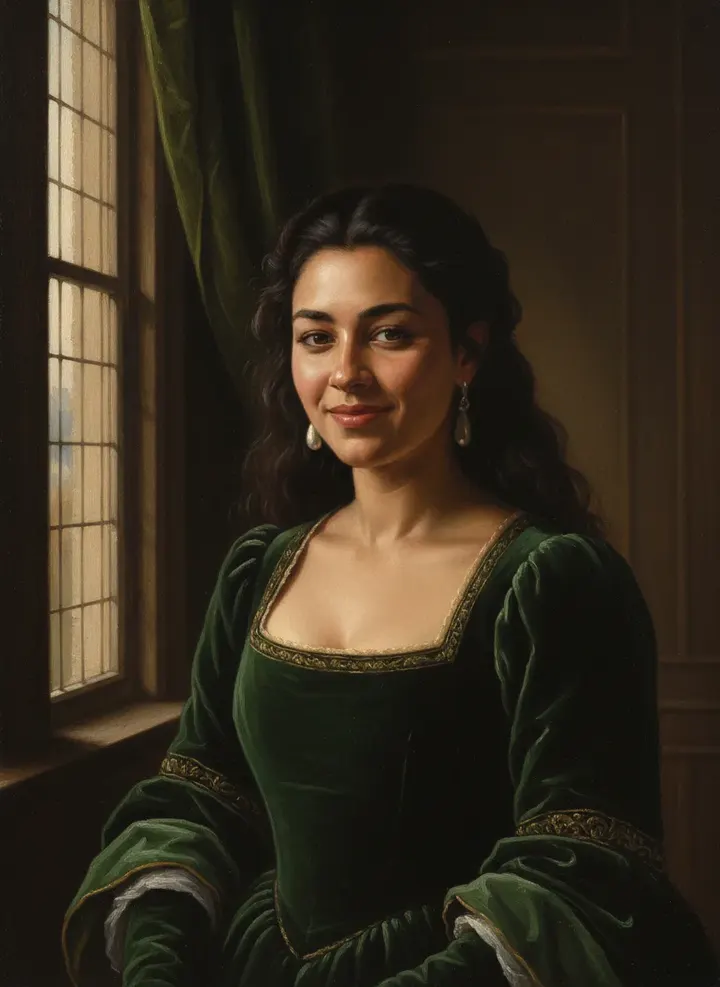
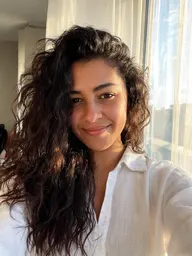 Sample start photo
More AI tools
Prompt library
Prompts with the image each one made, ready to copy.
 Nano Banana ProCut a product out onto a clean white background
 nano-banana-2Extend a photo beyond its edges
 nano-banana-2Passport-style ID photo from a selfie
 nano-banana-2Preview a photo as your phone lock screen
 nano-banana-2Relight a portrait with a classic studio lighting setup
 nano-banana-2Reshoot a phone photo with real camera settings
 Nano Banana ProSharpen a blurry or low-resolution photo
 nano-banana-2Try a makeup look on your own photo
 nano-banana-2Try nine hairstyles on your own face
 nano-banana-2Turn your pet into a plush toy
What is AI Portrait Generator?
A portrait is a decision about light, clothes and mood as much as about a face. Start from a photo of the sitter, pick a look, from an old-master oil to a film still or a magazine editorial, and add the clothes and setting if you have something in mind. The model paints or shoots the scene again and keeps the person's features.For a plain work photo, the AI headshot generator is the better fit; for a painting with no particular person in it, use the AI art generator.
What people make with it
- Painted portraits as gifts
- A distinct profile picture
- Cover art for books and podcasts
- Family members in a matching painted style
Why use AI Portrait Generator?
- 7 models to choose from
- Starts on Nano Banana by Google. Also works with Nano Banana 2, Nano Banana Pro, Seedream 5.0 Lite, Seedream 4.5, GPT Image 2, FLUX.2 [pro].
- The cost is shown before you run it
- 60 credits per image on Nano Banana. The Generate button shows the exact credits first, so nothing is spent by surprise.
- Failed generations are refunded
- When a generation fails, its credits go back to your balance automatically.
- One credit pool for every tool
- The same credits work across every studio tool and model, and the prompt tools include free prompts every day.
How to use AI Portrait Generator
Three steps from an idea to a finished result.
- 11. Add a sharp picture of whoever sits for the portrait
- 22. Choose a portrait look and, if you like, describe clothes and setting
- 33. Generate a few versions and keep the one with the best expression
Tips for better results
- Stage it like a painter would: a chair, a window, a dark wall, one source of light.
- For black and white, ask for side light: "window light from the left, deep shadows".
- Royal and old-master looks suit rich fabrics; name them, such as velvet, lace or brocade.
- A photo where the face fills a good part of the frame keeps the likeness closest.
Frequently asked questions
What people ask before they use AI Portrait Generator.
1Do I need a photo?
2Can the portrait be of someone else?
3Which model should I use?
4Can I print it or give it as a gift?
5How much does it cost?
Try AI Portrait Generator now
60 credits per image on Nano Banana. You see the exact credits before you generate.
Open AI Portrait Generator