AI Podcast Video Generator
Generate a podcast-style video clip with two hosts talking in a studio, with native dialogue on Veo 3.1. Great for teasers and faceless channels.
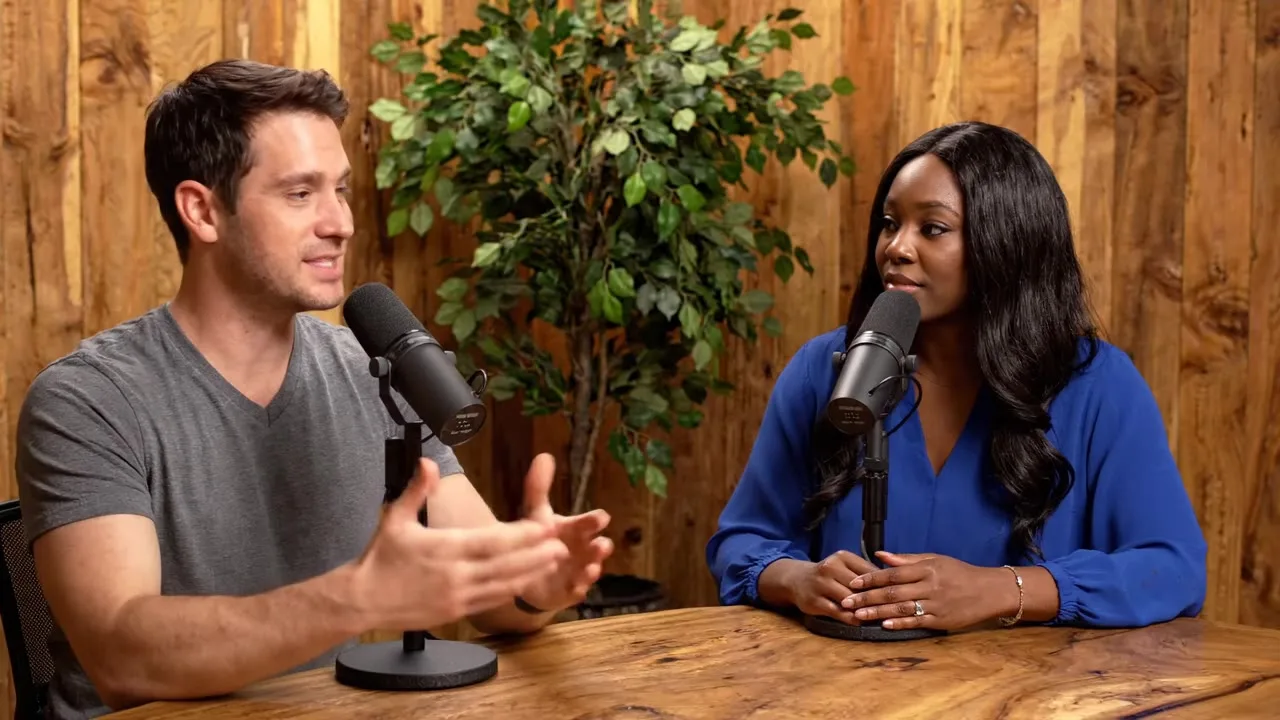
Podcast studio video, two hosts at a table with microphones, . Host one says: "" Host two replies: ""
1,240 credits
- Model
- Veo 3.1 Fast · Google
- Cost
- 1,240 credits
Prompt sent to the model
Podcast studio video, two hosts at a table with microphones, warm wood studio with plants. Host one says: "" Host two replies: "" Natural conversation, cuts between medium shots, clear studio audio.
A sample this tool made. Your results appear here when you press Generate.
 Video
More AI tools
Prompt library
Prompts with the image each one made, ready to copy.
 Nano Banana ProCut a product out onto a clean white background
 nano-banana-2Extend a photo beyond its edges
 nano-banana-2Passport-style ID photo from a selfie
 nano-banana-2Preview a photo as your phone lock screen
 nano-banana-2Relight a portrait with a classic studio lighting setup
 nano-banana-2Reshoot a phone photo with real camera settings
 Nano Banana ProSharpen a blurry or low-resolution photo
 nano-banana-2Try a makeup look on your own photo
 nano-banana-2Try nine hairstyles on your own face
 nano-banana-2Turn your pet into a plush toy
What is AI Podcast Video Generator?
Podcast clips are the most shared format on social. Write two lines of dialogue, pick a studio look, and Veo 3.1 generates the hosts, the set and their voices in one clip.
What people make with it
- Podcast teasers
- Faceless YouTube channels
- Explainer shorts
Why use AI Podcast Video?
- 6 models to choose from
- Starts on Veo 3.1 Fast by Google. Also works with Veo 3.1, Veo 3.1 Lite, Seedance 2.0, Sora 2 Pro, Kling 3.0 Pro.
- The cost is shown before you run it
- 155 credits per second on Veo 3.1 Fast. The Generate button shows the exact credits first, so nothing is spent by surprise.
- Failed generations are refunded
- When a generation fails, its credits go back to your balance automatically.
- One credit pool for every tool
- The same credits work across every studio tool and model, and the prompt tools include free prompts every day.
01
02
03
04
How to use AI Podcast Video
Three steps from an idea to a finished result.
- 11. Write one line for each host
- 22. Pick a studio look
- 33. Generate an 8 second clip
Tips for better results
- Short lines work best. Each host gets about three seconds.
- Keep the same studio look across clips for a consistent show.
- For your own real podcast audio, use the lip sync tool instead.
Frequently asked questions
What people ask before they use AI Podcast Video.
1How much does it cost?
Each generation uses credits from your plan. The exact number shows on the Generate button before you spend anything, and failed generations are refunded automatically. New accounts get free credits to try it.
2Can I use the results commercially?
Yes. Paid plans include commercial use of everything you generate, subject to each model provider's content policy.
Try AI Podcast Video now
155 credits per second on Veo 3.1 Fast. You see the exact credits before you generate.
Open AI Podcast Video